
Data Center Cabling Standards and Certification: A Field Testing and Acceptance Playbook
Published:Executive Summary: "The cabling is certified" sounds like a checkbox. It rarely is. On most builds that one sentence quietly bundles four different things — component compliance, field link certification, the installer's credential, and the vendor's system warranty — and mixing them up is how a project ends up holding a thick stack of test results it can't actually use. This playbook unpacks each layer, lists the standards that define a certifiable link, shows what a certifier really measures on copper and fiber, and explains how to read a report before you sign the acceptance form. It closes with the part most guides skip: what certification is worth in warranty, SLA and resale terms, and where it genuinely isn't worth paying for.
If you're specifying the plant itself rather than the acceptance process, start with our companion piece on TIA-942-C vs BICSI 002. This article picks up where that one leaves off — at the point where someone has to prove the install actually works.
Quick Navigation
- 1 What "Certification" Actually Means
- 2 The Standards Behind a Certifiable Link
- 3 Copper Certification: What Gets Measured
- 4 Fiber Certification: Loss Budgets and Polarity
- 5 The Certification Workflow, Step by Step
- 6 How to Read (and Reject) a Test Report
- 7 What Certification Is Actually Worth
- 8 The Failures That Kill Certification
- 9 Key Questions (FAQ)

Certification happens after the tray is closed and before anyone signs the acceptance form — that window is where most projects lose money
1. What "Certification" Actually Means
Ask five people on the same build what certified cabling means and you'll get five answers, most of them half right. That ambiguity isn't academic. I've watched teams pay for a full round of field testing, dutifully file the PDFs, and then find out during an audit that what they bought wasn't what the warranty required — or that the report didn't cover the links that later failed.
So before we get anywhere near testers and limits, let's pull apart the four things that get bundled under the one word.
| Layer | What it covers | Who issues it | What you receive | How long it holds |
|---|---|---|---|---|
| Component compliance | Cable, connectors and patch panels meet a category or component specification | Manufacturer, usually backed by independent lab testing | Spec sheets, component test reports | Life of the product |
| Field link certification | Every installed link measured against permanent-link or channel limits | Installer or test contractor, using a calibrated certifier | Per-link PASS/FAIL report with measured values | A snapshot — valid the day it's taken |
| People credentials | Designer and installers are qualified to do the work | BICSI (RCDD, DCDC, CNIDP), manufacturer installer programmes | Certificates and credential numbers | Renewal cycle |
| System warranty | Application support: parts and labour if a certified link fails | The cabling system vendor | Warranty certificate and registration | Commonly 20–25 years |
Two things follow from that table. First, only one layer produces measurements from your installation — the second one. Everything else is paperwork about something else. Second, the layer your finance team actually cares about is the last one, and it almost always requires the first three as preconditions.
There's also a fifth item that gets dragged into the conversation and doesn't belong: a facility rating. TIA-942's Rated 1–4 scorecard is an audit of redundancy and topology across the whole site, not a measurement of your links. You can hold a Rated 3 facility full of links that would fail a Cat6A certifier. We cover that distinction in detail in our TIA-942-C and BICSI 002 comparison; here we're dealing with the physical layer you can put a meter on.
The warranty trap worth checking early
Most structured cabling vendors offer two very different promises. A component warranty typically runs about a year and covers the replacement part — you still pay someone to find the fault and install it. A system warranty runs 20–25 years and covers parts, labour, and in some programmes the application running over the link. The jump between them usually hinges on three conditions: a manufacturer-certified installer, 100% of links certified with an approved tester, and the results submitted inside the registration window. Miss any one and you're back to the component warranty — with the same cable in the ceiling.
2. The Standards Behind a Certifiable Link
Standards get cited loosely in specs, which is how you end up with a contract that says "certify to TIA standards" and means nothing enforceable. A certifiable link needs three things named explicitly: the standard and its revision letter, the link configuration (permanent link or channel), and the accuracy level of the tester. Drop any of those and two contractors can deliver completely different work, both claiming compliance.
| Standard | Scope | Why it matters at acceptance |
|---|---|---|
| ANSI/TIA-568.2-D | Balanced twisted-pair components, permanent link and channel performance | Defines the Category 5e through Category 8 limits your copper results are judged against |
| ANSI/TIA-568.3-D | Optical fiber cabling components, link performance, polarity methods | Sets fiber loss limits and the A/B/C polarity conventions for MPO trunks |
| ANSI/TIA-942-C | Data center telecoms infrastructure: MDA, HDA, ZDA, EDA; media and pathways | Facility-level baseline; useful for topology and rating, not a substitute for link testing |
| ISO/IEC 11801-1 and -5 / ISO/IEC 24764 | International generic cabling and data center cabling; classes EA, FA, I, II; OM5 | The default reference on projects outside North America; often cited alongside TIA |
| ISO/IEC 14763-2 and -3 | Installation practice and testing of installed cabling | Defines the Tier 1 / Tier 2 fiber testing structure everyone quotes |
| IEC 61935-1 / ANSI/TIA-1152-A | Accuracy requirements for field test instruments | Tells you whether the tester in the contractor's hand is allowed to make the call (Levels III, IIIe, IV, V in IEC; Level IIIe and 2G in TIA) |
| IEC 61300-3-35 | Connector end-face inspection and cleanliness criteria | The cheapest failure prevention on any fiber job, and the easiest to skip |
| ANSI/TIA-606-C | Administration: identifiers, labels, records | If the label doesn't match the report, the report is unusable in year three |
| ANSI/TIA-607-C | Grounding and bonding of telecoms infrastructure | Shielded Cat6A and metallic pathways only behave if they're bonded correctly |
One clarification that saves arguments on site: there is no body called "TIA certification" for installers. TIA publishes the standard. Credentials come from BICSI and from manufacturer programmes, and the measurement comes from a calibrated instrument meeting IEC 61935-1 or TIA-1152-A. A spec that says "use a certified provider" without naming which of the three it means is a spec that will be interpreted in the cheapest possible way.
On international projects you'll often see TIA and ISO/IEC cited together. That's normal — the usual convention is to resolve any conflict in favour of the stricter requirement, and to write that sentence into the contract so nobody has to argue about it later. If you want the background on how the two families differ, our TIA-568 vs ISO/IEC 11801 breakdown covers it.
3. Copper Certification: What Gets Measured
Copper certification is the part of the job most people think they understand, because the tester prints a green PASS and everyone moves on. The useful information is in the margins, not the verdict.
3.1 Permanent link or channel?
Pick one before the first cable is pulled, because it changes what you're allowed to do later.
- Permanent link: the fixed cabling from patch panel to wall outlet or panel-to-panel, excluding patch cords. Testing this at handover is standard practice — it's what you installed, and it's what the installer is responsible for.
- Channel: permanent link plus the patch cords at both ends. This is the configuration that actually carries traffic, so it's the honest measure once equipment is connected — but it's also only as good as the patch cords someone buys later.
In practice: certify permanent links at handover, then re-test the channel on any link that gets patched into production service or that shows trouble. And buy factory-tested patch cords. Hand-made Cat6A cords are the single most common reason a channel fails after a permanent link passed.
3.2 The parameters, and what each one catches
| Parameter | What it catches | Typical Cat6A channel reference |
|---|---|---|
| Wire map | Reversals, split pairs, crossed pairs, shorts | Correct pin-to-pin assignment |
| Length | Runs routed the long way round; no slack planning | ≤ 100 m channel, ≤ 90 m permanent link |
| Insertion loss | Over-long runs, poor termination, thin conductors | Measured at every frequency step to 500 MHz |
| NEXT and PS NEXT | Untwisted pairs at the termination, badly seated jacks | Measured at every frequency step |
| ACR-F (ELFEXT) and PS ACR-F | Far-end crosstalk that only shows up under load | Measured at every frequency step |
| Return loss | Impedance mismatches, mixed vendors, kinks and crush damage | Measured at every frequency step |
| TCL and ELTCTL | Poor pair balance and shielding problems | Measured at every frequency step |
| Propagation delay / delay skew | Length mismatch between the four pairs | ≤ 555 ns delay, ≤ 50 ns skew |
| DC loop resistance / unbalance | Undersized conductors, bad contacts — a real PoE problem | ≤ 25 Ω per 100 m loop |
| Shield continuity | Floating shield on S/FTP systems | Continuous to the bonded patch panel |
Don't accept a bare PASS
A link that passes insertion loss by 0.2 dB is technically compliant and practically a liability: a little corrosion, one re-termination, or a longer patch cord later and it's over the line. Put a minimum margin in the specification — 3 dB on insertion loss and NEXT is a common ask — and require the report to show worst-case margin, not just green checkmarks. It costs nothing at install time and saves a re-test later.
One honest caveat on alien crosstalk (ANEXT). At Cat6A and above, crosstalk between adjacent cables is a genuine concern, but field-testing it link by link is slow and expensive. Most projects handle it by design instead: shielding, spacing, and not over-packing bundles. If your spec demands ANEXT testing, budget for it explicitly — it's a sampling exercise, not a 100% one.
One more thing to check that no tester will tell you: conductor material. Copper-clad aluminium (CCA) cable passes a wire map and can pass a short static test, then fails on length, resistance and PoE voltage drop. It doesn't meet the category standards. Specify solid copper by name in the procurement documents. Our Cat6A guide goes through the shielding and distance trade-offs in more detail.

Density is where certification earns its keep: at 48–72 fibers per rack there is no visual way to tell a good link from a marginal one
4. Fiber Certification: Loss Budgets and Polarity
Fiber testing has a structural advantage over copper: you can compute what the answer should be before you measure it. That means a fiber result is either plausible or it isn't, and a number that doesn't match the budget tells you something is physically wrong.
4.1 Tier 1 and Tier 2
- Tier 1 — insertion loss and length with an optical loss test set (OLTS), plus polarity verification. This is mandatory and runs on 100% of links. Procedures follow TIA-526-14 for multimode and TIA-526-7 for single-mode.
- Tier 2 — OTDR tracing, which locates events along the link rather than just totalling them. Worth it on backbone and inter-building runs, and on any Tier 1 result you can't explain.
A Tier 1 pass tells you the link meets budget. It doesn't tell you where the loss is. When a 300 m spine run comes in 0.6 dB worse than the maths predicts, the OTDR is what tells you whether you have a bad splice, a macrobend behind a rack, or a filthy connector.
4.2 Build the budget before you test
| Element | Planning figure | Note |
|---|---|---|
| OM3 / OM4 / OM5 fiber | ≤ 3.0 dB/km at 850 nm, ≤ 1.0 dB/km at 1300 nm | Manufacturer data sheets are often better than the standard — use the actual one |
| OS2 single-mode fiber | ≤ 0.4 dB/km at 1310 and 1550 nm | Splice loss dominates on long runs, not fiber attenuation |
| Mated LC / SC pair | 0.30 dB typical, 0.75 dB maximum | Count every mated pair in the channel, including panels |
| Mated MPO pair | Roughly 0.35–0.75 dB depending on fiber count | 16- and 32-fiber connectors carry more risk than 12 |
| Fusion splice | ≤ 0.10 dB typical | Mechanical splice is several times higher — don't budget them the same |
| Application budget | Set by the optics, not the cabling | Multimode SR4/SR8 optics typically allow under 2 dB; check the IEEE figure for your module |
Worked example: a 120 m OM4 trunk with MPO connectors at both ends and two cassettes in between. Fiber contributes roughly 0.36 dB. Four mated interfaces at, say, 0.35 dB each add 1.4 dB. Total around 1.8 dB, which sits right at the edge of what SR4-class optics tolerate. That's why 16-fiber MPO deployments on OM4 need real attention to connector count — an extra cassette is the difference between a link that works and one that trains at a lower speed or drops under thermal load. Our AI cluster loss budget guide walks through the same arithmetic at 800G densities.
4.3 The three fiber things that actually fail installs
Fiber acceptance essentials
End-face inspection: inspect and clean every connector before mating, at 200x–400x magnification, judged against IEC 61300-3-35. Contamination is the leading cause of fiber link problems in the field, and it is the only failure mode that costs nothing to prevent.
Encircled flux: multimode loss measurements are only comparable if the launch condition is controlled per IEC 61280-4-1. Without it, two technicians measuring the same link can disagree by tenths of a dB — enough to flip a marginal verdict.
Polarity: verify with a polarity tester, never by eye. Standardise on one method across the site — Method B is the usual choice in AI and high-density builds — and check every trunk. Mixed A/B/C trunks in the same pod is a failure waiting for a maintenance window. See our MPO polarity types explained for the mechanics.
Return loss: confirm against the spec for your connector type — single-mode UPC is commonly specified at 50 dB or better, APC at 60 dB or better, while multimode connectors are far more forgiving. Always test per the component and application requirement, not a memorised rule of thumb.
And a note that catches people out with pre-terminated systems: a factory test report covers the assembly as it left the factory. It says nothing about what happened to it in the tray. Factory-terminated trunk still gets tested after installation — see our comparison of field splicing vs factory termination for where each approach makes sense.
5. The Certification Workflow, Step by Step
Certification goes wrong when it's treated as an event at the end of the project instead of a requirement that shapes the whole job. Here's the sequence that holds up under audit.
Certification workflow
Step 1 — Write the acceptance criteria into the contract. Name the standard and revision, the link configuration, the tester accuracy level, the minimum margin, and whether it's 100% or sampled. Nothing else in this list is enforceable without this step.
Step 2 — Qualify the components. If you want a system warranty, that usually means one vendor's end-to-end components. Mixing brands is technically fine and commercially expensive.
Step 3 — Qualify the people. Ask for credential numbers, not adjectives: BICSI RCDD or DCDC for design, manufacturer-certified installers for the termination work.
Step 4 — Install with the report in mind. Labels per TIA-606-C applied as you go, bend radius respected, Velcro instead of crushed zip ties, dust caps on everything that isn't mated.
Step 5 — Configure the tester correctly. Correct standard and revision, correct NVP for the cable actually installed, calibration in date, firmware version recorded. Then set the fiber reference properly — a bad reference invalidates every result after it.
Step 6 — Test 100% of links. Both ends. No "we'll test the risky ones". The links that fail are rarely the ones that look risky.
Step 7 — Fix and re-test the same day. Record the final passing result, not the first attempt. A report folder full of failures and no re-tests is worse than no folder.
Step 8 — Deliver usable records. PDF plus native result files, link IDs that match the physical labels, plot data retained, tester and calibration details on the face of the report.
Step 9 — Register the warranty inside the window. Vendors do enforce the submission deadline.
Step 10 — Re-certify on change. After moves, adds and changes; after any incident that touched the plant; and on a periodic sampling schedule for everything else.
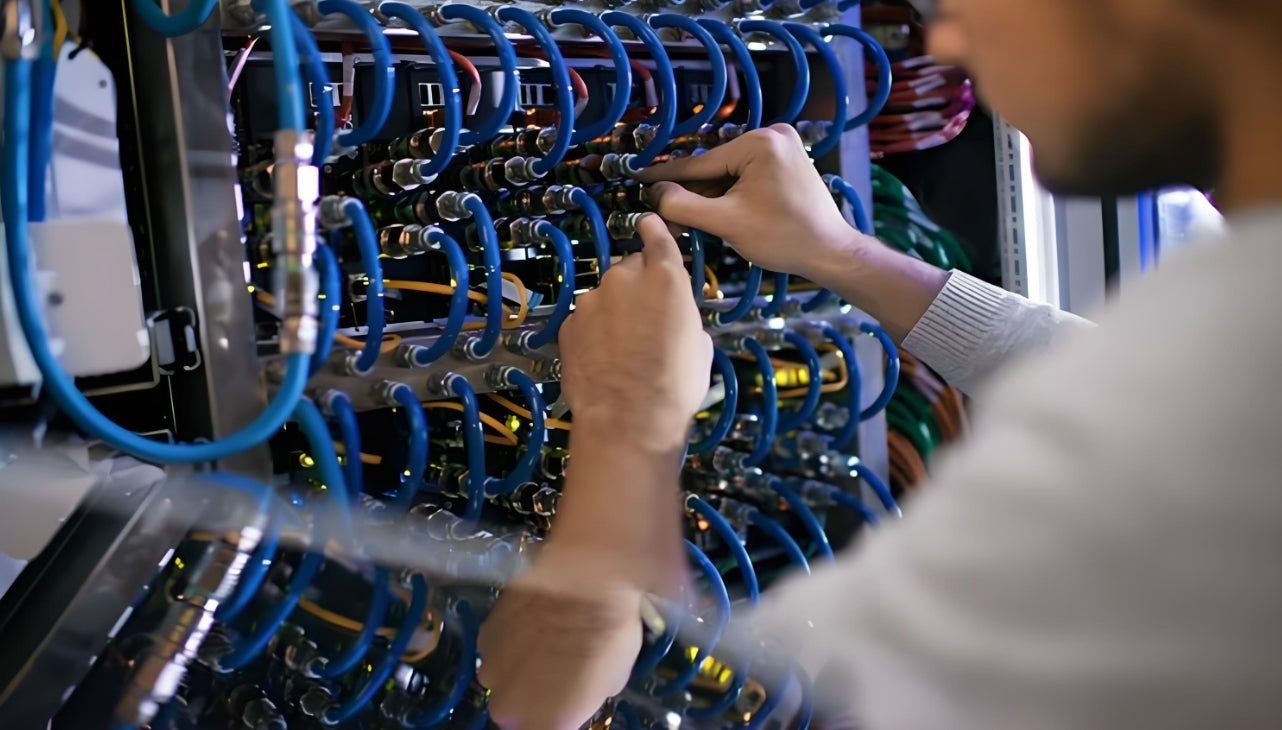
Labels that match the test report turn a PDF archive into an operational asset — mismatched labels waste both
On 100% versus sampling: sampling has a place. If you're refreshing a small room on a tight budget and you can live with a component-only warranty, testing a representative 10–20% and keeping the rest on a qualification tester is a defensible decision — as long as it's a decision, made in writing, and not an accident discovered at handover. For anything carrying a system warranty, a colo handover, or AI fabric traffic, test everything.
6. How to Read (and Reject) a Test Report
Most acceptance disputes come down to a report that was never read properly. It takes ten minutes to check the things that matter, and they're all on the first page.
Report acceptance checklist
Instrument: tester model, firmware version, and accuracy level stated — IEC 61935-1 Level IIIe, IV or V, or TIA-1152-A Level IIIe / 2G for the category in question.
Calibration: certificate dated within the last 12 months. An out-of-calibration tester produces numbers you cannot defend.
Correct standard selected: check the header actually says the revision you specified — "TIA-568.2-D Category 6A Channel", not a generic default the technician never changed.
Link IDs match the floor: walk the room and spot-check ten labels against the report. If they don't correspond, the archive is decorative.
Worst-case margin shown: pass/fail alone hides how close you are to the edge.
No asterisks: a PASS with a marker attached generally means a non-standard setting or an out-of-limit parameter. Treat it as a fail until someone explains it in writing.
Plot data saved: you need the sweep when a link degrades in year five and you want to know whether it was always marginal.
Fiber specifics: wavelengths tested, reference method, OTDR traces from both directions where Tier 2 was specified, and end-face images if you asked for them.
Signed and dated by the operator and the company that stands behind it.
Then do the one thing that catches more problems than any of the above: pick five links at random and re-run them yourself, or have a second party re-run them. Testers get misconfigured, and a systematic setup error produces a whole project's worth of confidently wrong green ticks.
7. What Certification Is Actually Worth
Here's the part most standards articles skip entirely, and it's the part that gets budget approved. Certification is not a compliance trophy; it's a risk transfer and an operational asset. Both are worth money, and both are bounded.
7.1 Where the value actually lands
| Outcome | With certification | Without it |
|---|---|---|
| Warranty claim | Vendor covers parts and labour on a certified link, and in many programmes the application running over it | Component-only: you buy the part and pay for the diagnosis |
| Fault isolation | Baseline measurements let you tell a new fault from an old condition | Every incident starts from zero; intermittent faults can run for weeks |
| Handover and commissioning | Report package satisfies most colo, hyperscale and enterprise acceptance gates | Sign-off delayed, or accepted with a punch list you own |
| Moves, adds and changes | You know the margin you're working with before you touch anything | Every change is a gamble on headroom you can't quantify |
| Diligence and resale | Documented, tested plant is an asset a buyer can verify quickly | Becomes a discount line in the negotiation |
| Insurance and audit | Demonstrable due diligence on the physical layer | "We assume it's fine" is not a defence |
Cost-wise, field certification typically lands in the low single-digit percentage of an install budget, while a single unresolved physical-layer fault can consume more than that in truck rolls and lost rack time — and that's before you count the application impact. The asymmetry is the argument. You're not buying a certificate, you're buying the option to not debug blind.
7.2 What certification doesn't buy you
Now the honest half. Certification is a snapshot of one moment. It says nothing about the patch cord someone swaps in month nine, the bundle that gets re-tied during a cooling retrofit, or the trunk that gets re-routed for a new rack. Plants decay through changes, not through age — a well-installed passive link can sit happily for twenty years if nobody touches it.
It also doesn't guarantee application performance. A Cat6A channel can pass every parameter and still sit in a design with the wrong topology, or in a rack with airflow problems that cook the optics. Certification validates the medium, not the architecture.
And there's a real market shift worth naming: as more plants move to factory-terminated, pre-tested assemblies, the field job is shifting from termination and certification toward verification. The factory report travels with the trunk, and the installer's job is to prove nothing broke on the way into the tray. That's faster and more consistent, which is exactly why our pre-terminated cabling playbook has become the default recommendation for anything on a tight schedule. It doesn't remove the need for testing — it changes what you're testing for.
Where the bar is moving
At 400G and above — and especially in GPU clusters where AllReduce collectives mean the slowest link sets the pace for the whole job — the tolerance for marginal links collapses. A trunk at 1.8 dB against a 1.9 dB budget isn't "passing", it's one thermal cycle away from retraining. That's why the 800G and 1.6T roadmaps are pushing end-face inspection and per-lane MPO verification from best practice into contract requirement. Background in our 800G/1.6T cabling trends and our guide to structured cabling for AI data centers.
8. The Failures That Kill Certification
Almost every certification failure traces back to one of a short list of handling mistakes. None of them are exotic, and all of them are cheaper to prevent than to find.
| Symptom | Usual cause | Prevention |
|---|---|---|
| High fiber insertion loss | Dirty or scratched end face, macrobend, over-tightened bundle | Inspect and clean every connector; respect bend radius; Velcro, not cinched zip ties |
| NEXT failure at one end only | Pairs untwisted too far at the termination, or a jack not fully seated | Keep untwist to about 13 mm; re-terminate rather than re-test |
| Return loss failure | Mixed vendors, kinked cable, poor crimp | One system end to end; handle cable like it's fragile, because it is |
| Length failure | Pathway routed the long way; no slack plan | Plan routes on the drawing before pulling, not during |
| Delay skew failure | Uneven pair lengths, almost always at a bad termination | Re-terminate; don't chase it with patch cords |
| MPO polarity failure | Mixed polarity methods in the same pod | Standardise one method site-wide; verify every trunk with a tester |
| Shield continuity failure | Drain wire not bonded, shield folded incorrectly | Follow the panel manufacturer's bonding detail; bond per design at both ends |
| DC resistance failure | Copper-clad aluminium cable, or a marginal contact | Specify solid copper in procurement; reject CCA on delivery |
| Channel fails after permanent link passed | Hand-made or low-grade patch cords | Buy factory-tested cords and keep a labelled spare pool |
| Intermittent errors under load | Crushed cable, tight bundles, ANEXT | Loose bundles, wide trays, shielded design where density is high |
The pattern across all ten: certification failures are overwhelmingly installation-quality failures, not product failures. That's the strongest argument for doing the testing — it's the only mechanism that tells you the difference before the tenant moves in.

In AI and HPC environments the cost of an unverified link is measured in idle GPUs, not in re-test hours
9. Key Questions (FAQ)
Q1: Is cabling certification legally required?
No standard makes it mandatory. What makes it effectively mandatory is everything attached to it: the vendor's system warranty, the commissioning sign-off on most colo and hyperscale projects, and increasingly the acceptance clauses in enterprise contracts. Practically, if you want a 20–25 year warranty, you certify.
Q2: Permanent link or channel — which should I specify?
Certify permanent links at handover, since that's the installer's scope. Re-test the channel when a link goes into production with real patch cords, and any time performance is questioned. If you're buying a system warranty, follow the vendor's stated configuration — some require channel results.
Q3: How often should a plant be re-certified?
Think in events, not calendar dates. Re-test after any move, add or change; after an incident that touched the plant; and after any cooling or power work that involved opening trays. On top of that, sample testing on a quarterly or annual cycle gives you a trend line. Passive cabling doesn't wear out on a schedule — it gets damaged by work.
Q4: Can I certify with an inexpensive tester?
No. A basic qualification tester gives you wire map and length, which is useful for troubleshooting and worthless for acceptance. Certification requires an instrument meeting IEC 61935-1 or ANSI/TIA-1152-A at the appropriate accuracy level. If the purchase doesn't make sense for your volume, rent one — the rental is trivial next to an unenforceable report.
Q5: Do pre-terminated and factory-tested trunks still need field testing?
Yes. The factory certificate covers the assembly before it was pulled through a tray, bent around a corner and strapped down. Field verification is what proves the installation didn't undo the factory's work. It's faster than testing field-terminated links, not optional.
Q6: Does Cat6A have to be shielded?
Not universally. It depends on alien crosstalk exposure, EMI in the environment, and bundle density. Shielded S/FTP is the safer call in dense data center trays, but it brings a bonding requirement with it — a shielded system that isn't bonded correctly performs worse than a well-installed unshielded one. The trade-offs are laid out in our Cat6A guide.
Q7: What's the difference between link certification and a TIA-942 facility rating?
Completely different exercises. Link certification measures the installed cabling against performance limits, and produces per-link results. A TIA-942 Rated 1–4 rating is an audit of facility redundancy and topology. You can hold a high facility rating over a plant with failing links, and vice versa. Our standards guide covers the rating side.
Q8: How long should I keep certification records?
For the life of the installation, and at least as long as the warranty term if you want to make a claim in year twenty. Keep the native result files, not just the PDFs — the plot data is what makes a future comparison possible. Store them against the TIA-606-C identifiers so a technician can find the right record from the label on the panel.
Related Articles
- Data Center Cabling: Standards Guide, BICSI vs TIA-942 — The facility-level standards picture and the Rated 1–4 scorecard
- TIA-942-C New Standard Explained — What changed for fiber compliance in the current revision
- MPO/MTP Polarity Types Explained (A, B, C) — Why Method B dominates dense and AI deployments
- AI Cluster Cabling: MPO Polarity and Loss Budgets — Building the budget before you pull the first trunk
- Pre-Terminated Structured Cabling Playbook — Where factory-terminated assemblies beat field termination
- 800G/1.6T Data Center Cabling Trends 2026 — The optics roadmap and what it demands of the physical layer

AMPCOM Technical Team
Industry experts with 17+ years in enterprise network infrastructure
Specifying certification for an upcoming build?
Our team can review your acceptance criteria, loss budgets and MPO specification before installation starts — and supply factory-tested OS2 and OM4/OM5 trunk assemblies with per-lane insertion loss and polarity data.
Get Free Consultation

