
Network Cable Management for Open Racks vs. Enclosed Cabinets
Published:Executive Summary: The choice between open frame racks and enclosed cabinets is not cosmetic — it directly determines how effectively you can route, manage, and protect your cable infrastructure. The wrong choice traps heat in dense server rows, tangles patch cords into untraceable knots, and inflates your cooling bill by 20 to 30 percent over five years.
This guide breaks down cable management differences, airflow implications, security tradeoffs, and total cost of ownership for both form factors, with market data and deployment scenarios to help you decide which belongs in your data center, edge site, or colocation facility.
Quick Navigation
- 1 Open Racks vs. Enclosed Cabinets: Core Differences
- 2 Cable Management in Each Form Factor
- 3 Airflow and Thermal Management
- 4 Security, Access Control, and Physical Protection
- 5 Total Cost of Ownership: Beyond the Price Tag
- 6 Standards and Compliance Framework
- 7 Deployment Scenarios: Which Goes Where
- 8 Best Practices for Both Form Factors
- 9 Key Questions (FAQ)

Figure 1: Open frame racks (left) offer unrestricted airflow and access; enclosed cabinets (right) provide integrated cable management and physical security
1. Open Racks vs. Enclosed Cabinets: Core Differences
The global data center rack market reached $4.98 billion in 2025 and is projected to grow to $10.95 billion by 2034 at a CAGR of 9.15%, driven by hyperscale AI deployments and edge computing expansion. Within this market, two fundamental form factors compete: open frame racks and enclosed cabinets.
Open frame racks — available in 2-post (relay) and 4-post configurations — are skeletal structures with no doors, side panels, or locking mechanisms. They expose equipment on all sides, maximizing airflow and physical accessibility. Enclosed cabinets, by contrast, are fully sealed enclosures with front and rear doors, removable side panels, and integrated locking systems.
| Feature | Open Frame Rack | Enclosed Cabinet |
|---|---|---|
| Structure | 2-post or 4-post, no panels | Full enclosure with doors and sides |
| Airflow | Unrestricted natural airflow | Controlled via perforated doors or fans |
| Security | None (requires secured room) | Locking doors and side panels |
| Cable Management | Requires add-on accessories | Integrated vertical/horizontal managers |
| Noise Reduction | None | Significant sound dampening |
| Dust Protection | None | Sealed enclosure filters debris |
| Market Share (2025) | ~42.7% ($1.92B) | ~45.6% ($2.05B) |
| Typical Cost (42U) | $300–$600 | $800–$3,000+ |
According to market research, enclosed cabinets captured approximately 60% of the data center rack market share in 2024, driven by their ability to support precise hot-aisle and cold-aisle containment, rear-door heat exchangers, and liquid cooling manifold integration. However, open frame racks are projected to register the highest CAGR during the forecast period, fueled by edge data center deployments and telecom central offices where lower cost, lighter weight, and rapid maintenance access outweigh the need for physical security.
2. Cable Management in Each Form Factor
Cable management is where the two form factors diverge most practically. The way you route, secure, and trace cables determines whether routine maintenance takes 15 minutes or two hours — a difference that compounds rapidly in facilities with hundreds of rack positions.
2.1 Open Frame Racks: Freedom and Discipline
Open racks provide unobstructed access to both front and rear of every mounted device, which makes cable routing, tracing, and replacement significantly faster. Technicians can reach around, above, and below equipment without opening doors or removing panels. However, open racks ship with minimal built-in cable management — you must add vertical cable managers, horizontal lacing bars, and brush strip cable management panels as separate purchases.
This freedom is a double-edged sword. Without the physical constraint of cabinet walls, cables on open racks tend to sprawl if installers do not enforce strict routing discipline. A well-managed open rack with proper vertical managers and service loops looks immaculate; a poorly managed one becomes the kind of tangled mess that makes every future change a nightmare.
2.2 Enclosed Cabinets: Structure Out of the Box
Enclosed cabinets arrive with integrated cable management infrastructure: vertical cable channels along both rear rails, horizontal cable managers between patch panel rows, brush kits for cable entry points, and designated PDU mounting zones. This built-in structure enforces cable organization by design — cables are naturally channeled into defined pathways rather than left to find their own routes.
The tradeoff is access. Every cable trace, patch cord swap, or equipment adjustment requires opening the front or rear door, which can be cumbersome in tight aisle configurations. For high-density deployments with hundreds of fiber and copper patch cords per cabinet, this access friction adds measurable time to routine MAC (move, add, change) operations. Proper patch cord length planning becomes critical — excess slack that would be tolerable on an open rack becomes a tangled liability behind a closed door.
3. Airflow and Thermal Management
Airflow strategy may be the single most consequential difference between open racks and enclosed cabinets — especially as rack power densities climb past 20kW per rack in AI and HPC environments. NVIDIA GB200 NVL72 systems push rack power beyond 120kW, making thermal management a survival requirement rather than an optimization.
3.1 Open Racks: Natural Airflow, No Containment
Open frame racks offer the best natural airflow of any rack type. With no doors or side panels restricting air movement, cool air reaches equipment from every direction, and hot exhaust dissipates freely. This unrestricted airflow makes open racks ideal for low-to-moderate density networking equipment — patch panels, switches, and PDUs that rarely exceed 5kW per rack.
The limitation is containment. Open racks cannot isolate hot exhaust from cold intake, which means they cannot participate in structured hot-aisle or cold-aisle containment strategies. In dense environments, this leads to hot air recirculation, where server exhaust gets pulled back into adjacent equipment intakes, creating thermal hotspots that trigger fan speed escalation and energy waste.
3.2 Enclosed Cabinets: Engineered Airflow Control
Enclosed cabinets enable precise airflow management through perforated front doors (typically 64% to 80% open area), solid or vented rear doors, and optional blanking panels to seal unused U spaces. When combined with hot-aisle or cold-aisle containment, enclosed cabinets create predictable, engineered airflow paths that eliminate recirculation and reduce cooling energy consumption.
Research indicates that efficient airflow management can recover 20 to 30 percent of cabinet costs through energy savings over five years. For a $3,000 premium cabinet, that translates to $600 to $900 in annual electricity savings — enough to recover the purchase price entirely within the warranty period.
For AI workloads driving rack densities above 30kW, enclosed cabinets are not optional — they are mandatory. They accommodate rear-door heat exchangers, direct-to-chip liquid cooling manifolds, and closed-loop airflow systems that open frames simply cannot support. The market reflects this reality: enclosed cabinets account for over 65% of the data center rack cabinet market, with hyperscale and colocation operators standardizing on enclosed designs for all high-density deployments.

Figure 2: Open racks allow free airflow but cannot contain it; enclosed cabinets engineer precise hot/cold aisle separation
4. Security, Access Control, and Physical Protection
Physical security requirements often dictate the rack choice before any other factor is considered. In colocation facilities, multi-tenant data centers, and shared office environments, locking cabinet doors are a non-negotiable compliance requirement — not a preference.
4.1 Open Racks: Zero Built-In Security
Open frame racks provide no physical barrier between equipment and anyone in the room. Every switch port, patch panel, and cable is accessible to anyone who can physically reach the rack. This is acceptable in dedicated server rooms with badge access, biometric entry, and 24/7 monitoring — but it is a liability in any environment where unauthorized personnel share the physical space.
For network security specifically, open racks leave RJ45 ports and patch panel connections exposed. In environments where port security is a concern, individual port locks can partially compensate, but they add per-port cost and management overhead that an enclosed cabinet with a single door lock eliminates entirely.
4.2 Enclosed Cabinets: Layered Physical Security
Enclosed cabinets provide locking front doors, rear doors, and side panels — creating a physical security perimeter around all mounted equipment. Modern cabinets offer key locks, combination locks, biometric readers, and electronic access control systems that log every door open event with timestamps. For colocation providers, this per-cabinet security model is the foundation of tenant isolation: each customer's equipment is physically sealed within their assigned cabinet.
Beyond security, enclosed cabinets protect equipment from dust ingress, accidental physical contact, and environmental hazards. They also provide significant noise reduction — an important factor in office-adjacent deployments where server fan noise at 70+ dB would be intolerable without sound-dampening enclosure walls.
5. Total Cost of Ownership: Beyond the Price Tag
The purchase price gap between open racks and enclosed cabinets is substantial, but TCO analysis must account for cooling costs, maintenance labor, cable management accessories, and equipment lifespan.
| TCO Factor | Open Frame Rack | Enclosed Cabinet |
|---|---|---|
| Initial Purchase (42U) | $300–$600 | $800–$3,000+ |
| Cable Management Accessories | $200–$500 (add-on) | Mostly included |
| Cooling Cost (5-year) | Higher (no containment) | 20–30% lower with containment |
| Maintenance Access Time | Faster (no doors) | Slower (door access required) |
| Security Investment | Room-level only | Per-cabinet (included) |
| Equipment Lifespan | Normal (dust exposure) | Extended (dust protection) |
For budget-constrained deployments in controlled environments — telecom closets, lab test benches, and edge computing nodes — open racks deliver the lowest TCO. The initial savings of $500 to $2,400 per rack position compound quickly across dozens or hundreds of edge sites. For colocation and hyperscale environments, the enclosed cabinet's energy savings, security compliance, and equipment protection typically justify the premium within three to five years.
It is worth noting that cable length and routing efficiency also affect TCO. Enclosed cabinets with structured vertical management tend to use shorter, more consistent patch cord lengths, reducing both material cost and signal attenuation. Open racks, without defined cable pathways, often accumulate excess slack that increases attenuation and material waste.
6. Standards and Compliance Framework
Both open racks and enclosed cabinets must comply with a layered framework of industry standards that govern dimensions, structural integrity, grounding, and electrical safety.
6.1 EIA-310: The Universal Rack Standard
EIA-310 (now maintained as part of ANSI/EIA standards) defines the 19-inch rack format that dominates global IT infrastructure. It specifies rail spacing, mounting hole patterns (square holes, round holes, or threaded), and unit height (1U = 1.75 inches / 44.45mm). Both open racks and enclosed cabinets adhere to EIA-310, ensuring equipment compatibility across manufacturers. The 19-inch format holds approximately 70% of the rack market by width.
6.2 TIA-942: Data Center Infrastructure
TIA-942 covers the full spectrum of data center design, including rack layout, aisle spacing, power distribution, and cooling architecture. It references structured cabling standards (TIA-568) for cable management within racks and specifies minimum aisle widths that affect whether open racks or enclosed cabinets are feasible in a given footprint.
6.3 TIA-607 and NEC: Grounding and Electrical Safety
TIA-607 specifies grounding and bonding requirements for telecommunications infrastructure, requiring all racks and cabinets to be bonded to the Telecommunications Grounding Busbar (TGB). Enclosed cabinets must bond all metallic components — frame, doors, side panels, and cable management channels — to maintain equipotential grounding. Open racks, with fewer metallic components, have simpler bonding requirements but must still connect to the TGB via appropriately sized conductors. For STP cable installations, proper rack grounding is essential for shield effectiveness.
6.4 Seismic and Load Standards
In earthquake-prone regions, enclosed cabinets must meet seismic requirements per IBC (International Building Code), CBC (California Building Code), or ASCE 7 standards. UL 2416 defines load ratings for server cabinets in colocation environments. Open frame racks, particularly 2-post designs, have lower load capacity and are generally unsuitable for deep or heavy equipment without additional support brackets.
7. Deployment Scenarios: Which Goes Where
The choice between open racks and enclosed cabinets should be driven by deployment context, not personal preference. Here is how the decision maps to common scenarios.
| Deployment Scenario | Recommended Form Factor | Rationale |
|---|---|---|
| Secured server room (badge access) | Open frame rack | Room provides physical security; open rack maximizes airflow and access |
| Colocation / multi-tenant data center | Enclosed cabinet | Per-cabinet locking required for tenant isolation; containment for shared cooling |
| Telecom closet / IDF room | Open frame rack (2-post) | Patch panels and switches need maximum access; cost-effective for low density |
| AI / HPC GPU cluster | Enclosed cabinet (48U+) | 30kW+ density requires containment, liquid cooling support, deep profile |
| Edge data center / distributed node | Open frame rack | Lowest cost, lightest weight, fastest deployment for remote sites |
| Office-adjacent deployment | Enclosed cabinet | Noise reduction, dust protection, physical security in uncontrolled space |
| Lab / test environment | Open frame rack | Frequent equipment swaps; airflow for varied thermal loads; lowest cost |
| Hyperscale data hall | Enclosed cabinet (49U+) | Hot-aisle containment, structured cable management, smart monitoring integration |
The 43U to 48U height segment holds the largest market share (approximately 40-45%) in 2025, offering the optimal balance between compute density and operational accessibility. However, the 49U and above segment is growing fastest, driven by AI GPU cluster deployments that require additional vertical space for top-of-rack switches, liquid cooling infrastructure, and advanced cable management — all of which favor enclosed cabinet designs.
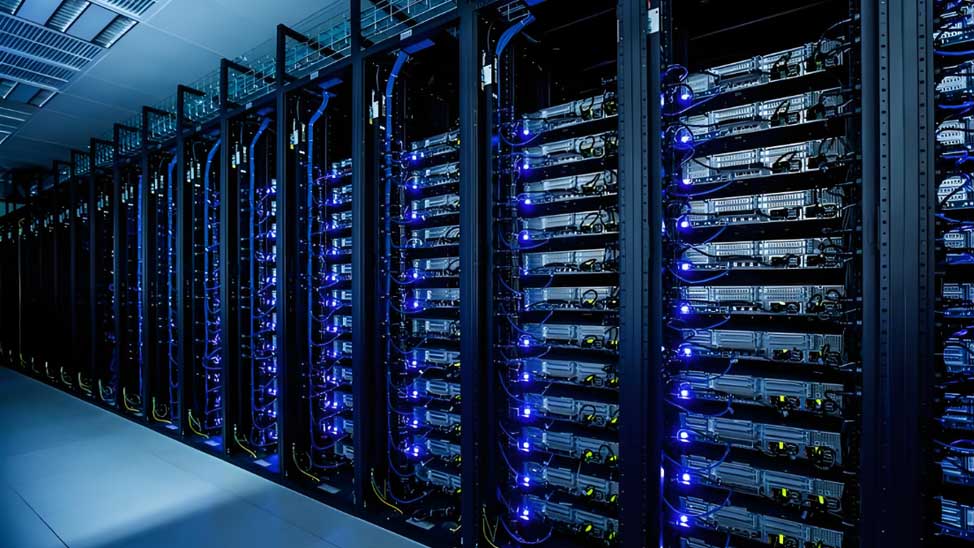
Figure 3: Deployment scenario matrix — matching rack form factor to environment, density, and security requirements
8. Best Practices for Both Form Factors
Regardless of which form factor you choose, certain cable management principles apply universally. These practices ensure that your infrastructure remains maintainable, scalable, and compliant throughout its operational lifecycle.
Universal Cable Management Checklist
- Plan patch cord lengths before procurement — measure each run and order exact lengths to eliminate slack that creates tangles and airflow obstructions
- Separate power and data cables vertically — route power down one side, data down the other, maintaining minimum 50mm separation to reduce EMI coupling
- Use vertical managers on every rack — even open racks benefit from dedicated vertical cable channels that keep runs organized and traceable
- Install horizontal managers between every patch panel row — 1U or 2U managers prevent gravity-driven cable sag that obscures labels and ports
- Implement color coding per TIA-606-C standards — consistent jacket colors enable instant visual identification of cable function and destination
- Label every cable at both ends — use thermal transfer labels with source-to-destination identifiers; never rely on cable color alone
- Maintain service loops of 1-2U at the rear of each rack — allows equipment removal without disconnecting cables, but keep loops tied and managed, not dangling
- Use brush strips at all cable entry points in enclosed cabinets — maintains airflow containment while allowing cables to pass through
- Bond all metallic components to the TGB per TIA-607 — essential for both shielded cable performance and electrical safety
- Document every cable in a DCIM system or spreadsheet — include source port, destination port, cable type, length, and label identifier
8.1 Open Rack Specifics
For open frame racks, invest in aftermarket vertical cable managers that mount to the rear rails. Use labeled patch panels with clear port numbering since there are no cabinet walls to mount documentation holders. Consider brush strip panels at the top of the rack to route ceiling-fed cables cleanly. Ensure the rack is bolted to the floor or wall — open frame racks have a higher center of gravity than enclosed cabinets and are more susceptible to tipping when loaded with equipment.
8.2 Enclosed Cabinet Specifics
For enclosed cabinets, install blanking panels in all unused U spaces to maintain airflow containment. Route cables through the designated brush strip openings rather than around door edges, which would compromise both containment and cable integrity. Use the cabinet's built-in PDU mounting zones to keep power cables separated from data runs. Consider 0.5U patch panels in dense cabinet deployments to maximize usable U space while maintaining structured cable management. For cabinets in hot-aisle containment zones, verify that rear door perforation matches the airflow volume your cooling system delivers — undersized perforation creates backpressure that reduces cooling efficiency.

Figure 4: Model cable management in an enclosed cabinet — color-coded runs, separated power and data, blanking panels, and labeled every endpoint
Key Questions (FAQ)
Q1: What is the main difference between open racks and enclosed cabinets for cable management?
Open racks provide unobstructed access to cable runs, making routing and troubleshooting faster, but they lack built-in cable management channels. Enclosed cabinets come with integrated vertical and horizontal managers, brush strips, and PDU mounting, offering a more structured system out of the box but requiring doors to be opened for access.
Q2: Which is better for airflow: open racks or enclosed cabinets?
Open racks offer superior natural airflow with no doors or panels to restrict air movement. Enclosed cabinets require perforated doors or active cooling fans, but they enable precise hot-aisle and cold-aisle containment when properly configured — critical for high-density AI and HPC deployments above 20kW per rack.
Q3: Are enclosed cabinets more secure than open racks?
Yes. Enclosed cabinets feature locking front and rear doors plus removable side panels, providing strong physical security. Open racks have no locking mechanism and should only be deployed in physically secured server rooms with restricted badge or biometric access.
Q4: How much do open racks cost compared to enclosed cabinets?
Open frame racks typically cost 40 to 60 percent less. A basic 42U open frame rack starts around $300 to $600, while comparable enclosed cabinets range from $800 to $1,500 for entry-level models and $3,000 or more for premium units with integrated cooling and cable management.
Q5: When should I choose an open rack over an enclosed cabinet?
Choose open racks for secured server rooms, telecom closets, lab environments, and edge sites where access is already controlled, natural airflow suffices, and budget is a priority. They are ideal for patch panel deployments and lightweight networking equipment requiring frequent access.
Q6: What standards apply to rack and cabinet deployment?
Key standards include EIA-310 for rack dimensions, TIA-942 for data center infrastructure, TIA-607 for grounding and bonding, and NEC (NFPA 70) for electrical safety. Colocation cabinets may also need UL 2416 load ratings and seismic compliance per IBC, CBC, or ASCE standards.
Q7: Can I use a hybrid approach with both form factors?
Yes. Many data centers deploy open racks for network equipment and patch panels in secured telecom rooms, and enclosed cabinets for servers and storage in shared or colocation spaces. This optimizes cost, airflow, and security based on each equipment category's needs.
Q8: How does AI workload growth affect rack and cabinet selection?
AI GPU clusters generate significantly more heat and require deeper cabinets (1,200mm+), wider cable pathways, liquid cooling support, and higher PDU capacity. Enclosed cabinets with integrated thermal management dominate these deployments, accounting for over 65% of market share in 2025, driven by hyperscale AI infrastructure buildouts.
About AMPCOM Rack and Cable Management Solutions
AMPCOM provides a comprehensive range of structured cabling and cable management products designed to support both open rack and enclosed cabinet deployments. Our product ecosystem includes:
- Patch Panels: Fixed-port, tool-less keystone, and pass-through modular panels with dedicated label areas — explore our complete patch panel collection
- Cable Management: Brush strips, metal management panels, and vertical managers that maintain cable structure in both form factors — available at AMPCOM wiring management solutions
- Patch Cables: Shielded and unshielded patch cords in precise lengths for clean rack builds — browse AMPCOM patch cable collection
- Network Cables: Cat5e through Cat8 bulk copper cables for structured rack-to-rack runs — available at AMPCOM network cable collection
- Fiber Patch Cables: OS2, OM3, OM4, and OM5 for high-density cabinet-to-cabinet fiber runs — see AMPCOM fiber patch cable collection
Related Articles
- Patch Panel Cable Management: Complete Guide for Data Centers — Comprehensive strategies for horizontal and vertical cable managers, service loops, and airflow optimization in both open rack and enclosed cabinet environments
- Patch Cord Length Planning for Clean Racks — How precise cable length selection prevents tangles, reduces signal attenuation, and enables the structured cable management that both form factors require
- Our Server Rack/Cabinet Is a Mess — Practical remediation guide for disorganized racks and cabinets, with step-by-step cable audit and reorganization workflows
- Structured Cabling Standards: TIA-568 vs ISO/IEC 11801 — How cabling standards interact with rack and cabinet standards (EIA-310, TIA-942) for a complete compliance framework
- AI Infrastructure Data Center Cabling Requirements — How AI GPU cluster density is reshaping rack selection, driving deeper cabinets, and demanding advanced cable management

AMPCOM Technical Team
Industry experts with 17+ years in enterprise network infrastructure and structured cabling systems
Need help choosing the right rack or cabinet for your deployment?
Our technical team provides free consultation on rack selection, cable management planning, and structured cabling design for data centers, edge sites, and colocation facilities worldwide.
Get Free Expert Consultation![AMPCOM Blog-Fiber Optic Cable Market Size, Share, and Forecast [2026–2035]](http://www.ampcom.com/cdn/shop/articles/AMPCOM_fiber_patch_cable_16_70131270-8c09-4395-a295-c8fce9efa87b.jpg?v=1792059310&width=533)

